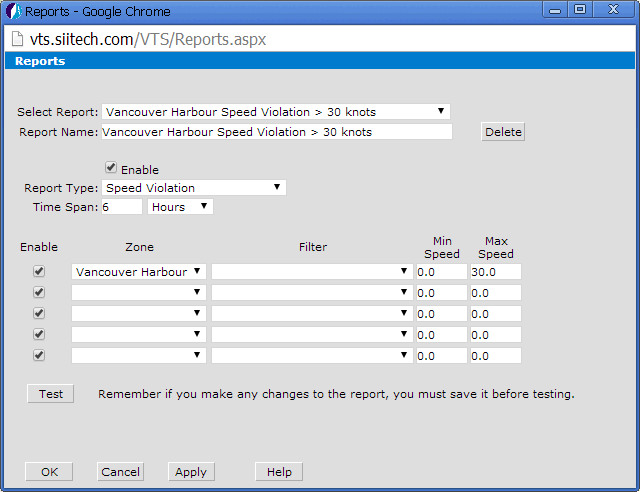
The Speed Violation report is
a tool which can be used to check ship speed within a predefined zone
and record speed violations. You can set a minimum speed, a maximum speed,
or a speed range for your zone. In this example, we will set the upper
speed limit to 30 knots.
This report will be built for the “Vancouver Harbour" zone, which
we have already used in previous examples.
(Note: see the Zone
Examples heading for a detailed guide on creating
polygon zones.)
 to open the Report Designer window.
Click the Apply button to save your settings. Click the Test button to display the Speed Violation report.

The report contains information regarding:
Position (coordinates) of the first recorded violation
Maximum speed of each ship
Average speed of each ship
Duration of time that the ship's maximum speed was above the permitted speed.