Point
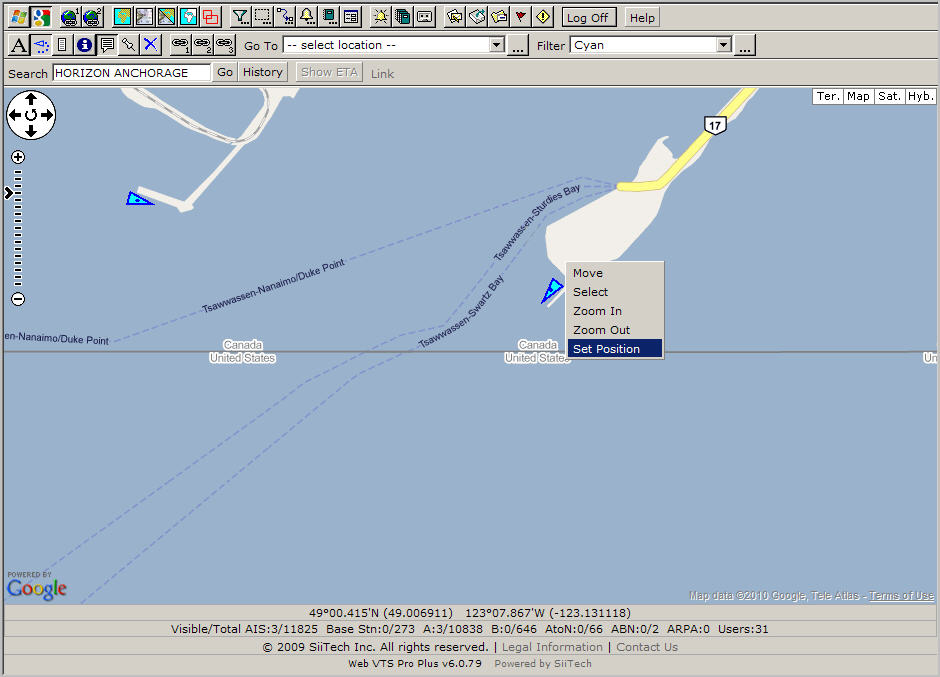
a mouse to the desired position and make a right mouse button click,
and then select Set Position from
the drop-down menu.
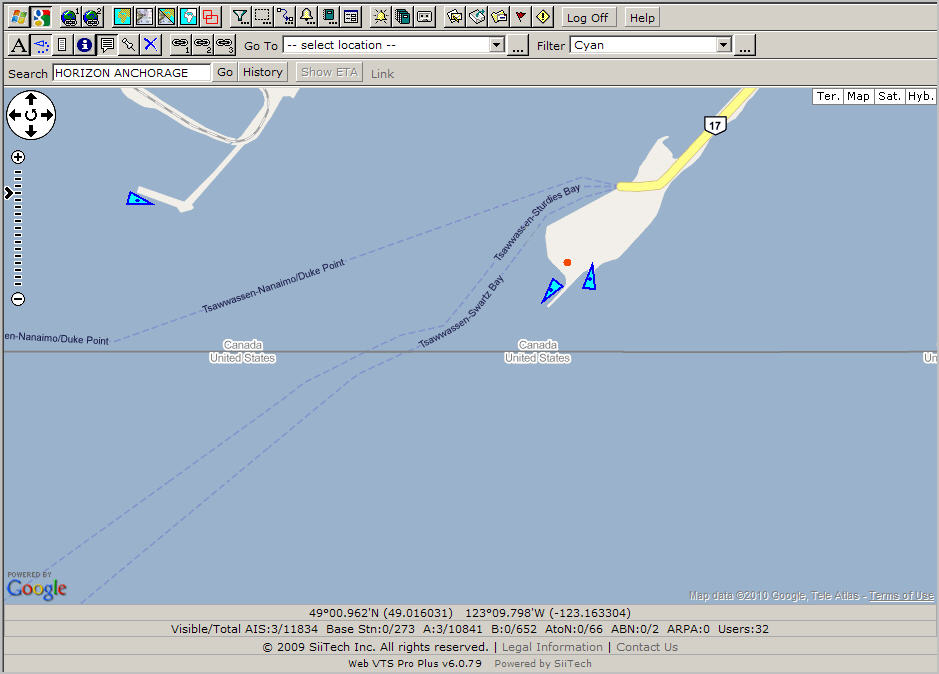
The result of above actions is below.
You see the red dot and that is the position to calculate distance
and bearing to.
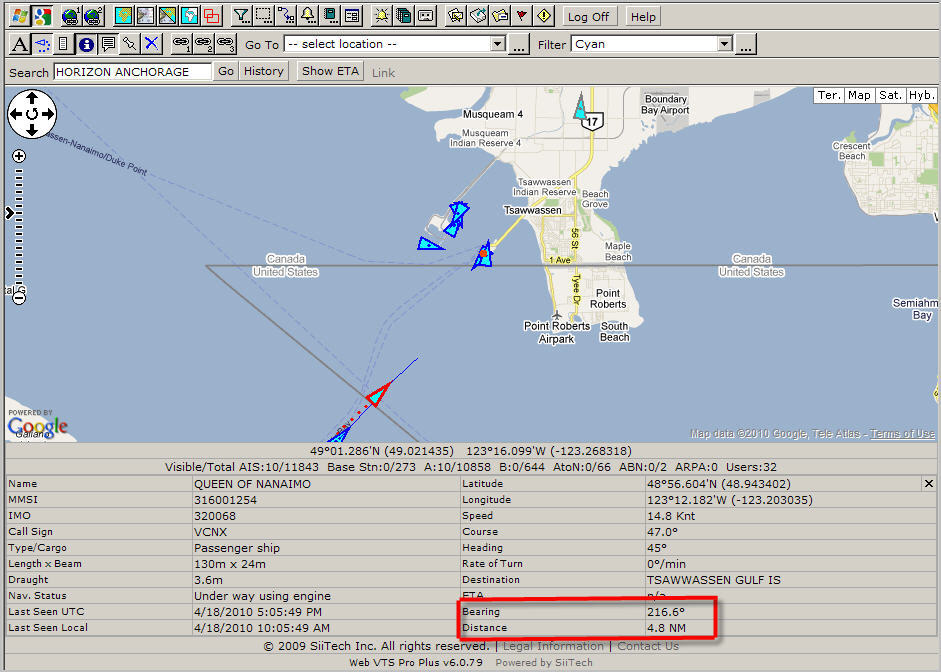
Finally
select any vessel and see distance and bearing in the Vessel Information
panel.
To remove the red dot, select Reset Position from the drop-down mouse menu and make a left mouse click.