 and the EICS panel appears at
the right side of the browser’s window.
and the EICS panel appears at
the right side of the browser’s window.
This feature of Web VTS provides operators with the ability to filter and find rescue vessels by Life Saving, Fire Response, and Oil Spill equipment on board.
In case of emergency or incident a Web VTS' operator could quickly find a location of a vessel with an appropriate rescue equipment on board and make decisions in rescue actions.
To open the Emergency and
Incident Command Support (EICS) panel click the EICS button
and the EICS panel appears at
the right side of the browser’s window.
The EICS panel has the title "Equipment".
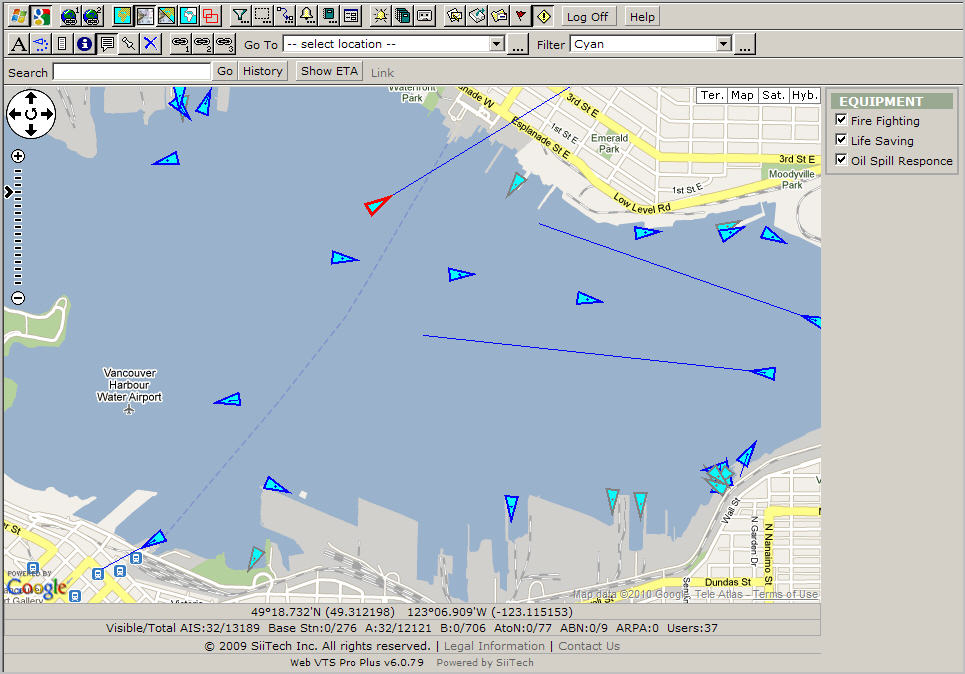
EICS panel description:
Fire Fighting: Select this check box to monitor vessels with fire fighting equipment on board. By default this check box is checked. All vessels that have fire fighting equipment on board appear as a red circle surrounding the original triangle .
Life Saving: Select this check box to monitor vessels with life saving equipment on board. By default this check box is checked. All vessels that have life saving equipment on board appear as a blue circle surrounding the original triangle.
Oil Spill Response: Select this check box to monitor vessels with oil spill response equipment on board. By default this check box is checked. All vessels that have oil spill response equipment on board appear as a blue circle surrounding the original triangle.
To be able to display what equipment the vessel has on board make a mouse left click on any circle and the Ship Data panel appears:
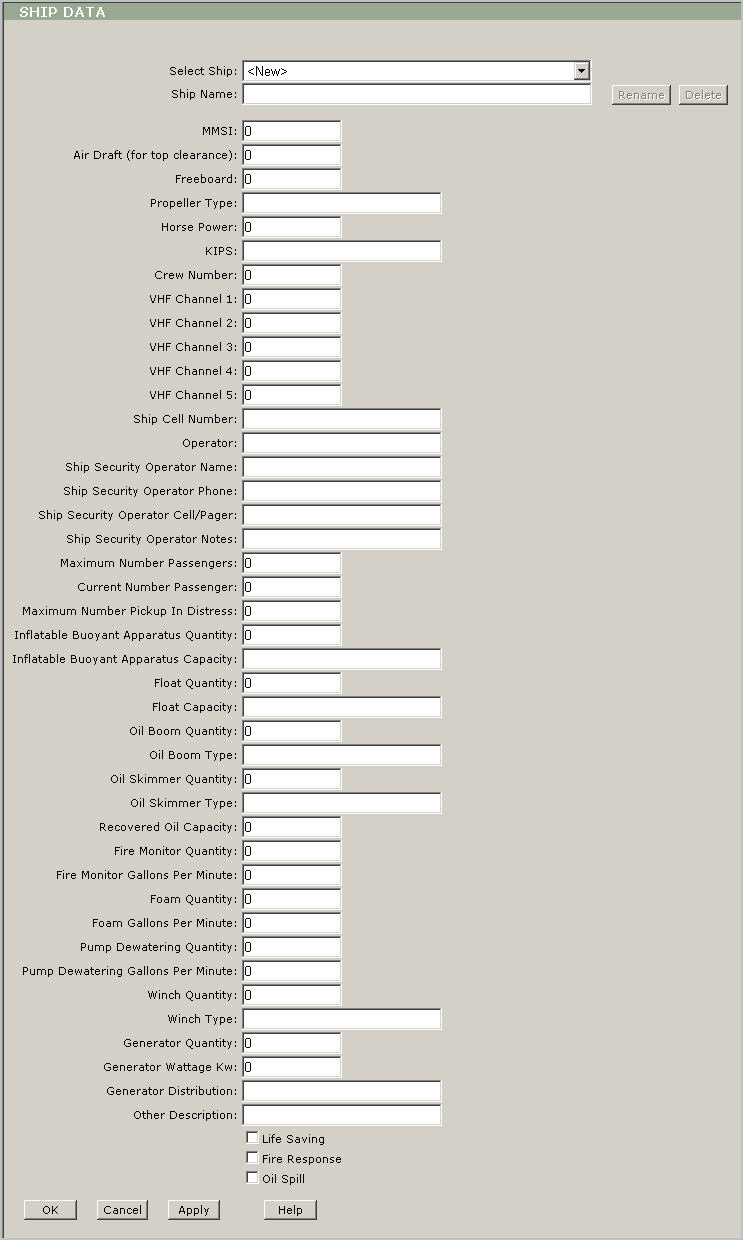
Note: Only authorized users could enter or edit or delete the EICS data through this pop-up window. Only the administrator of the system could assign users the rights to enter or edit or delete that information.