Click  to open the Report Designer panel.
Click the Select Report dropdown box and select <New>.
Instead of “Report1” type “Fraser River Extended Zone Summary” in the Report Name field.
Leave Enable checked.
Select “Extended Zone Summary” from Report Type.
Select “Fraser River” from Zone.
Leave Filter blank.
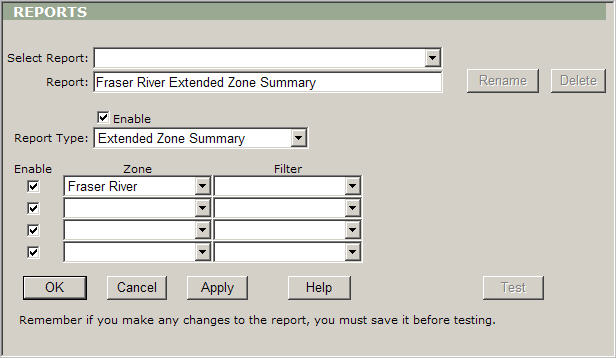
Click Apply to save the settings.