Click  to open the Filter
Designer panel.
to open the Filter
Designer panel.
Select <New> from Select Filter.
Instead of “FilterX” type “Display only base stations” in the Filter Name field.
This filter will display only base stations and hide all other AIS targets.
Click to open the Filter
Designer panel.
Select <New> from Select Filter.
Instead of “FilterX” type “Display only base stations” in the Filter Name field.
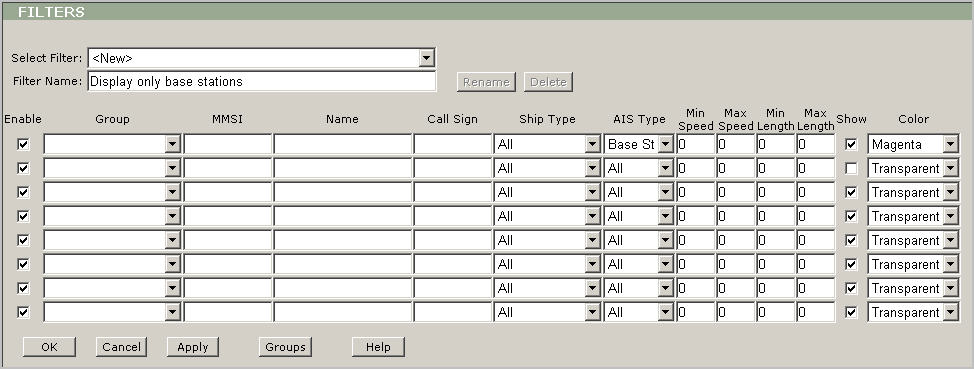
Now you can start to make settings for displaying base stations. Use the fist line.
Leave Enable checked.
Leave Group blank
Leave MMSI blank.
Leave Name blank.
Leave Call Sign blank.
Leave “All” in Ship Type.
Select “Base Station” in AIS Type.
Leave "0" in Min Speed, Max Speed, Min Length and Max Length.
Leave Show checked.
Select “Magenta” from Color.
You can use the second line to make settings to hide all other vessels:
Leave Enable checked.
Leave Group blank
Leave MMSI blank.
Leave Name blank.
Leave Call Sign blank.
Leave “All” in Ship Type.
Leave “All” in AIS Type.
Leave "0" in Min Speed, Max Speed, Min Length and Max Length.
Clear Show.
Leave “Transparent” in Color.
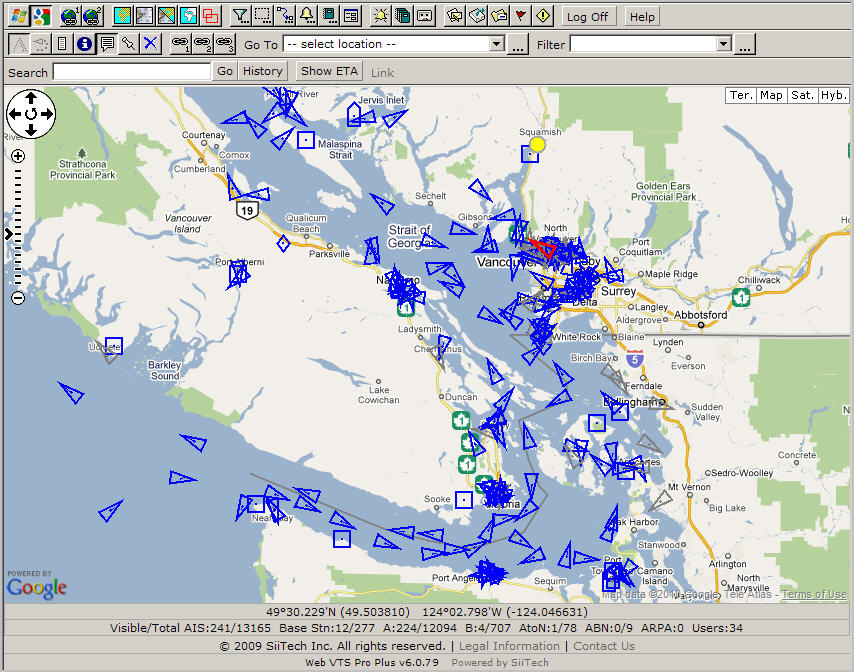
Before the filter was applied:
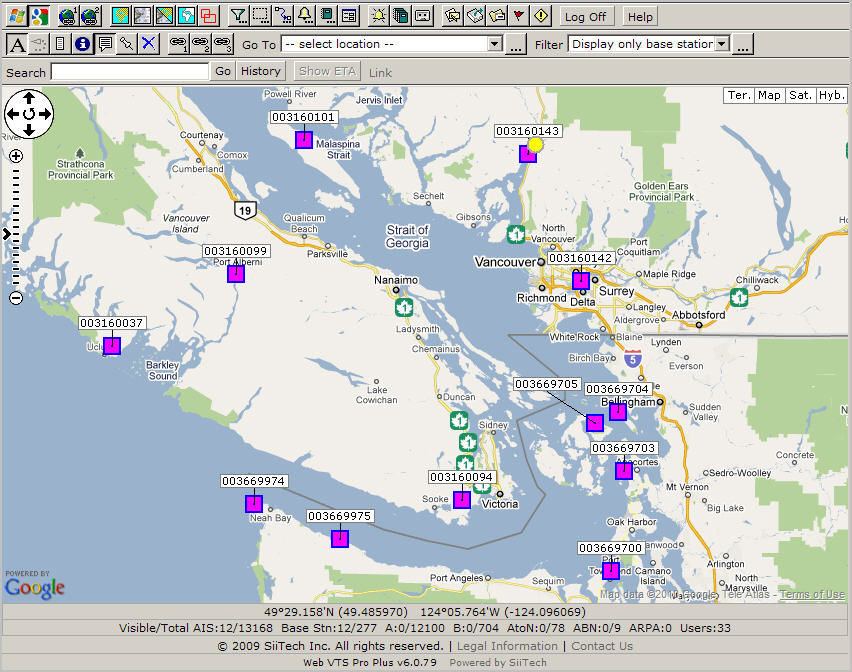
Here is the result of applying the filter: