Click
 to open the Messages Outbox window.
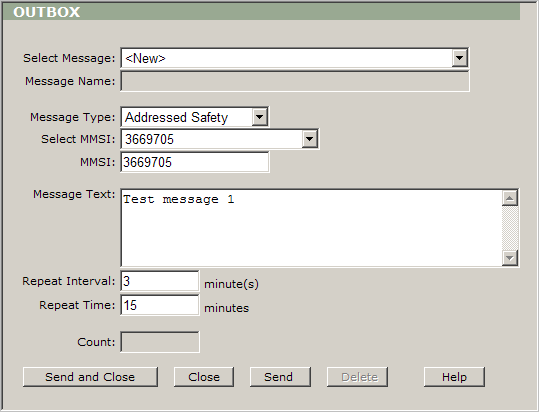
Select ”Addressed Safety” from Message Type.
Select
”3669705” from Select MMSI and this MMSI appears in MMSI box.
Note: You are able to see only MMSIs of those vessels that
you could see on your main screen. For example: If you could see just
two vessels on the chart, then you will see just two MMSI’s in this
box.
Tip: You can type the MMSI in this box directly.
Type ”Test message 1” in the Message Text box.
Type ”3” in the Repeat Interval box.
Type
”15” in the Repeat Time box.
 .
.