Speed Violation report
If you need to check the speed of the vessels within a zone and record any speed violation, you could use this report. You can check maximum and minimum speed.
Note: The report will be build for the “Vancouver Harbour “zone (the magenta polygon) that we have created.
Creating the Speed Violation report:
-
Click  to open the Report Designer panel.
-
Click the Select Report dropdown box and select <New>.
-
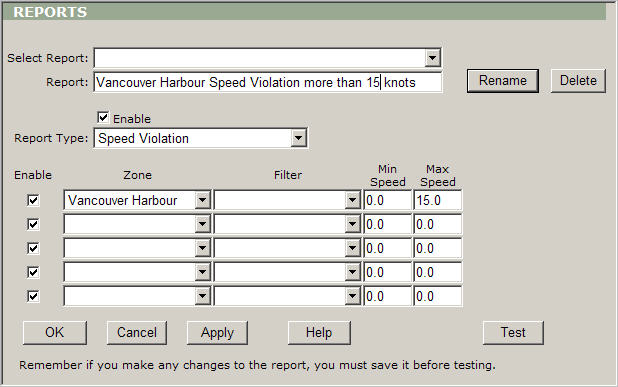
Instead of “Report1” type “Vancouver Harbour Speed Violation more than 15 knots” in the Report Name field.
-
Leave Enable checked.
-
Select “Speed Violation” from Report Type.
-
Select “Vancouver Harbour” from Zone.
-
Leave Filter blank.
-
Click Apply to save the settings.
-
Click Test to display the report.
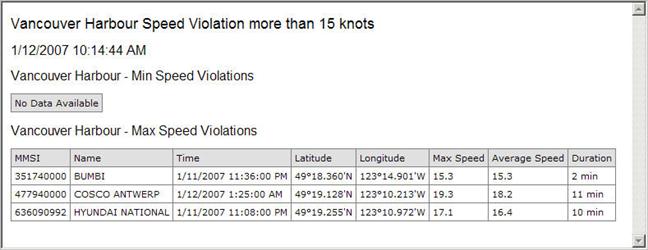
The report contains the information about the position of the first recorded violation, the maximum speed of the vessel and the duration of the violation (how long the maximum speed was above the permitted one). Note: The report displays the information for the last 24 hours. The 24 hours is the default value.