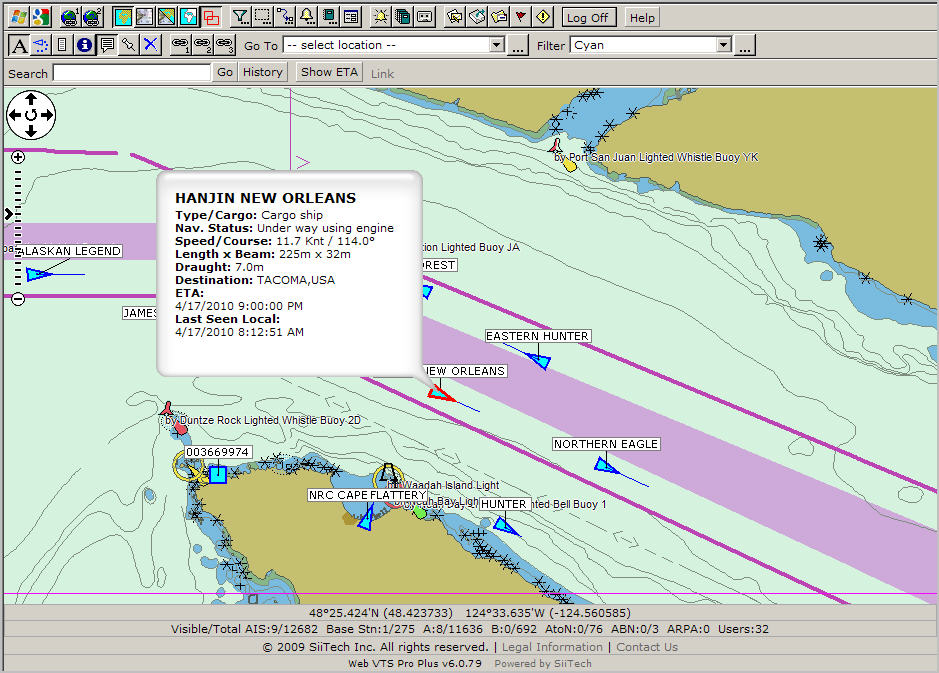
then point a mouse cursor over any symbol of
vessel (triangle) and you will see the balloon with the vessel's data;
then point a mouse cursor over any symbol of
vessel (triangle) and you will see the balloon with the vessel's data;- or -
Click the Show Ship Information button
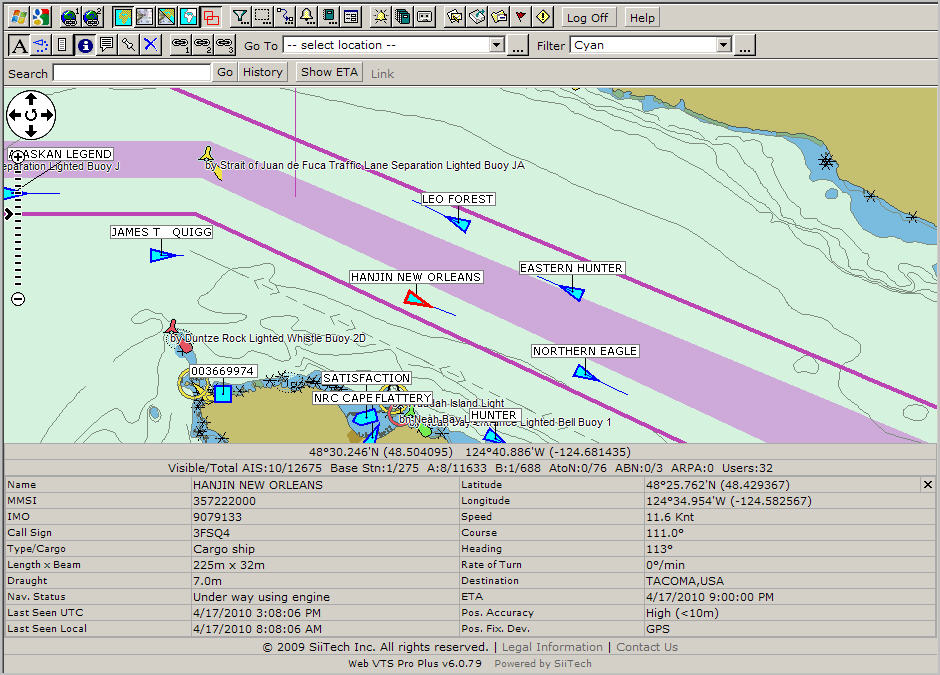
 then select any vessel and you
will see the Vessel Info pane below the chart/map window.
then select any vessel and you
will see the Vessel Info pane below the chart/map window. See the balloon below. A selected vessel changes its color to the red one.
Tip: You could deactivate the information balloons at any time by deselecting the Show Information Balloon
button right above the Vessel list.