 and the
Inbox window appears.
and the
Inbox window appears.
To view the received AIS messages
click the Messages Inbox button and the
Inbox window appears.
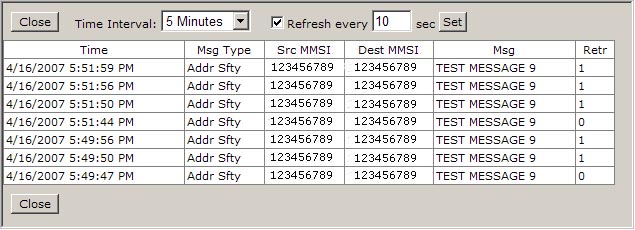
Inbox Messages widow description:
Close: Click this button to close the window.
Time Interval: Use this drop-down box to select any predefined time intervals to display the received messages. You could choose from 5 minutes, 15 minutes, 30 minutes, 1 hour, 24 hours, 3 days or 7 days.
Refresh every: Use this box to type any number of seconds to refresh the Inbox Messages window. When you finish a typing, click the Set button to save you changes.
Close: Click this button to close the window.