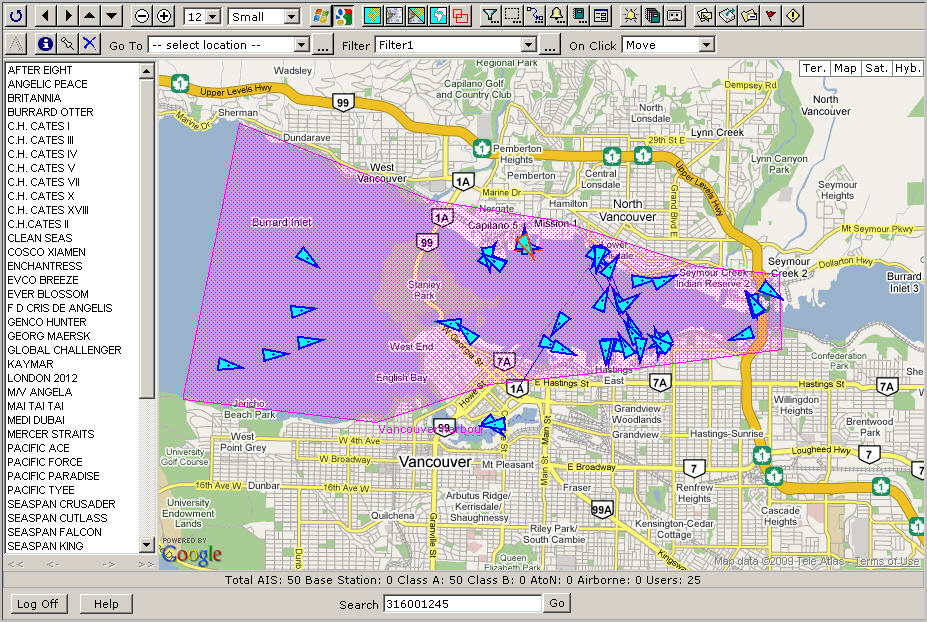
If you need a quick
estimation about the harbour’s condition, you could use the “Zone Summary”
report.
Note:
To
be able to produce any report, you have to build at least one zone. In
our case we have built the “Vancouver harbour” zone. Please see below.
Creating the Zone Summary report for one zone:
Click  to
open the Report Designer panel.
to
open the Report Designer panel.
Click the Select Report dropdown box and select <New>.
Instead of “Report1” type “Vancouver Harbour Zone Summary” in the Report field.
Leave Enable checked.
Select “Zone Summary” from Report Type.
Select “Vancouver harbour” from Zone.
Leave Filter blank.
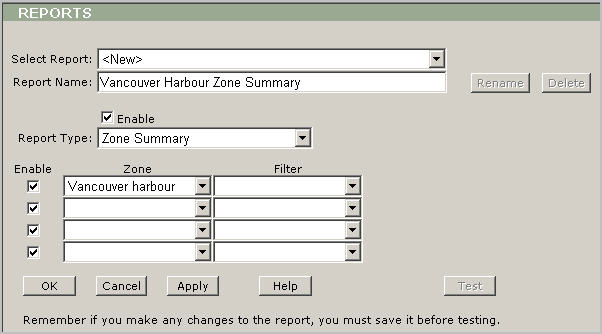
Click Apply to save the settings.
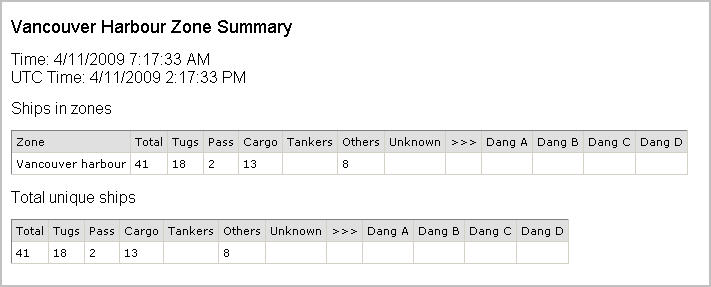
Click Test to display the report.
Note:
If
you have several overlapping zones, then the “Total unique ships”
table will display only unique ships within those zones.